Section 6.3
Resetting the Pressure Limiting Valve Counter
This procedure will allow a technician to retrieve and clear the PLV counter. The counter should be reset ONLY a PLV replacement. If the counter has reached a value of 50 or greater, the PLV should be replaced and the counter reset.
- Install and connect DDDL 7.0.
- Navigate to the “Service Routines” panel.
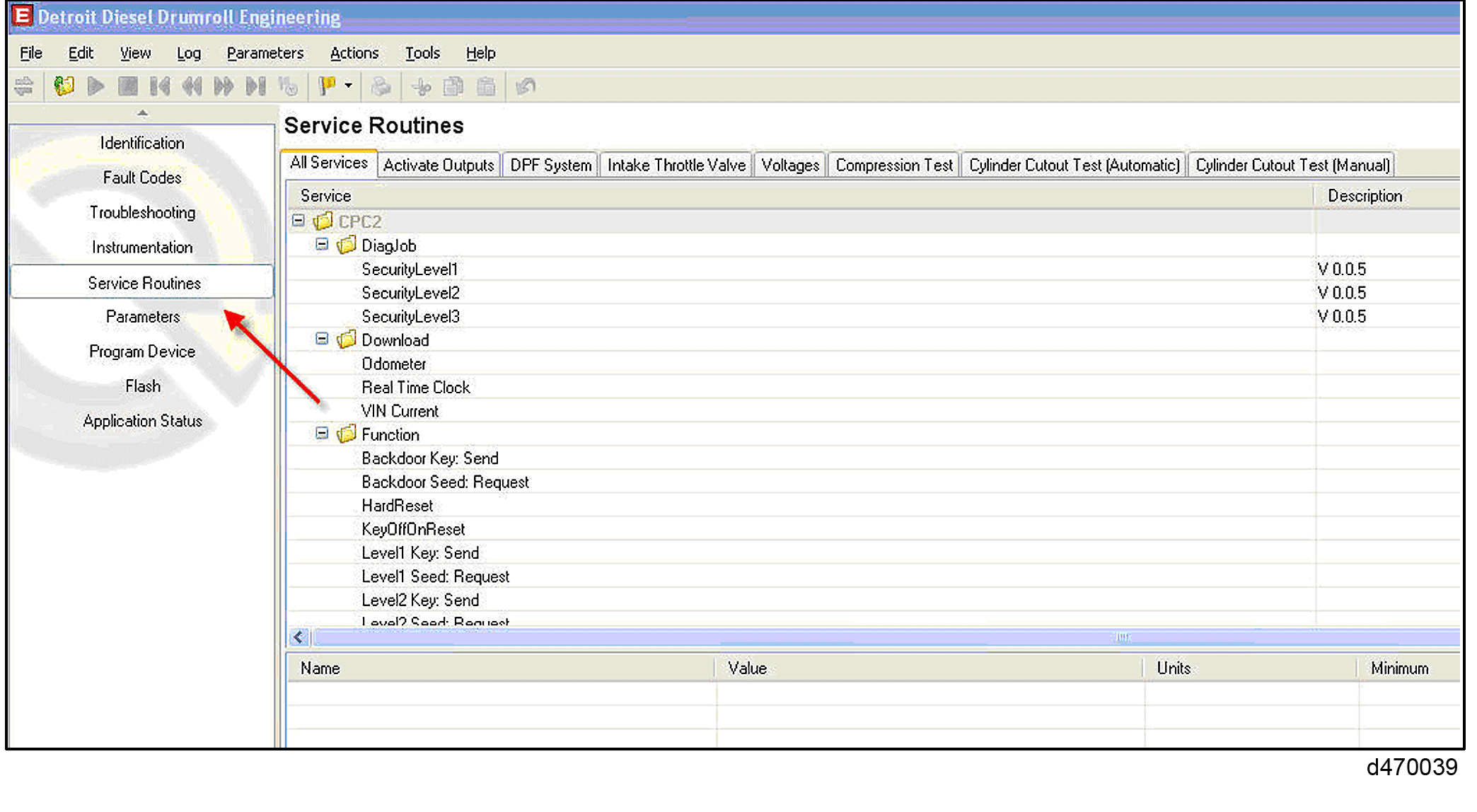
- Click on the “Actions” tab located at the top of the screen.
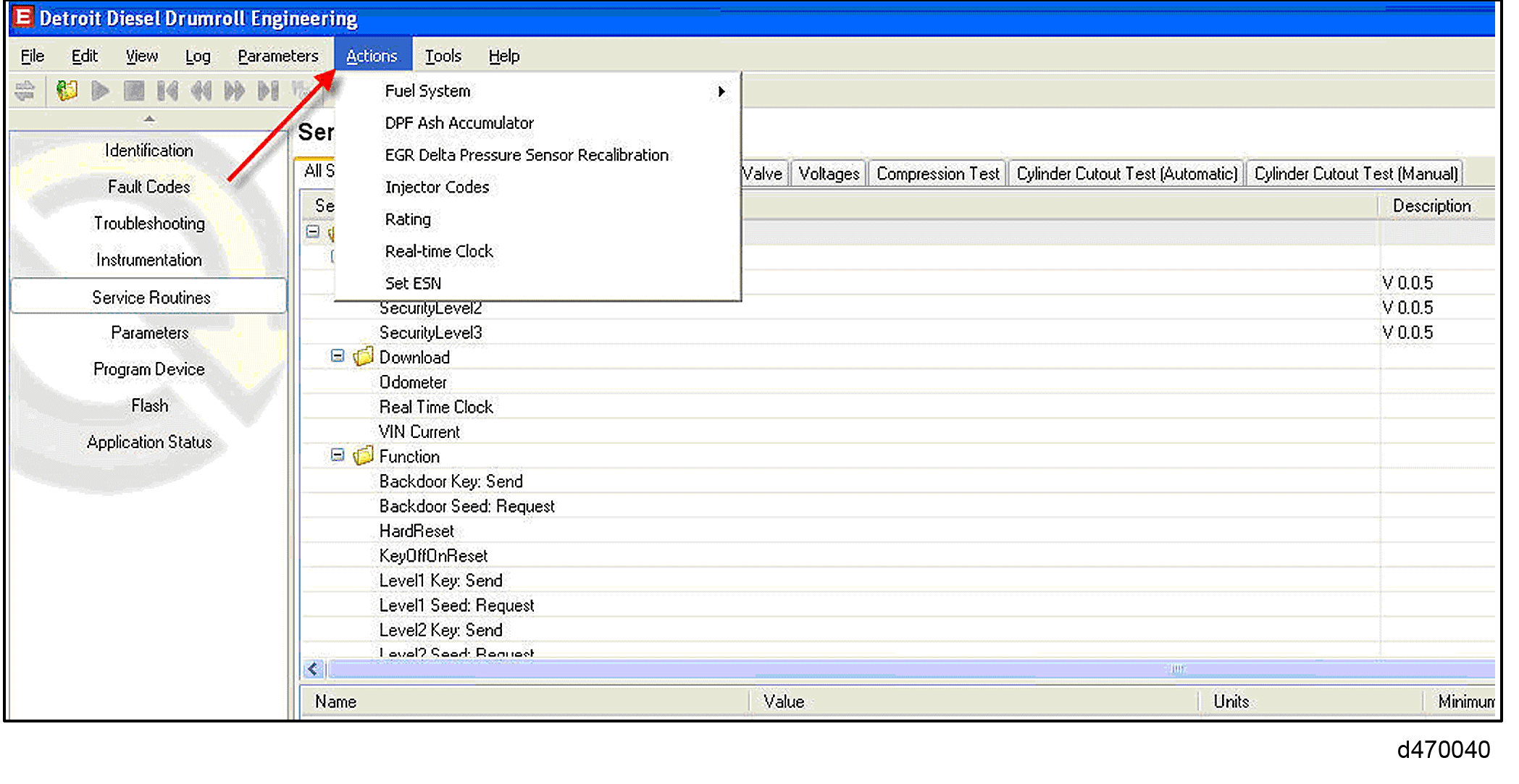
- Click on the tab labeled “Fuel System” and then “PLV Change”.
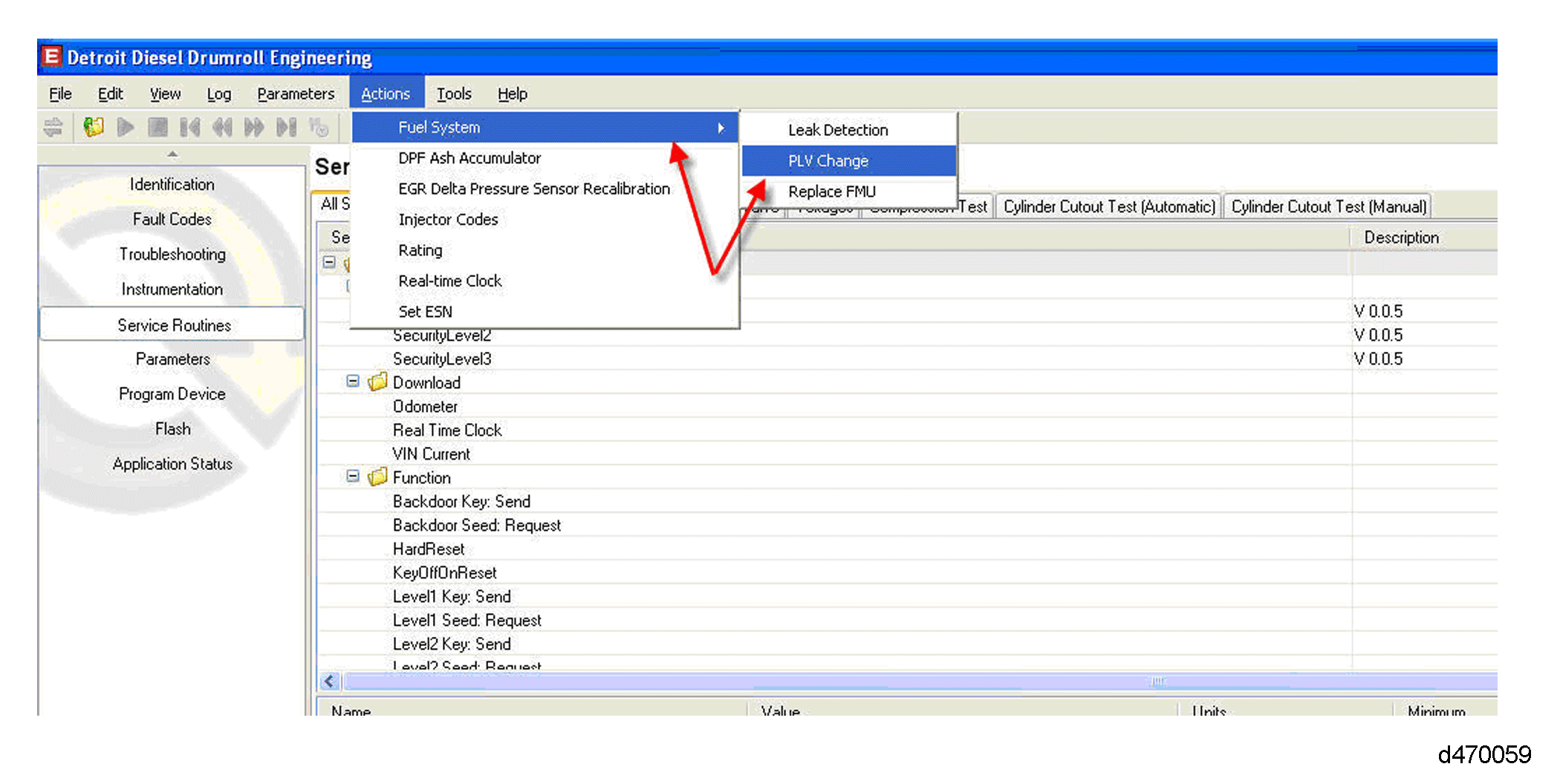
- The dialog box that appears shows the current PLV counter, and the ability to reset the counter.
Note: Only reset the counter if the PLV is being replaced.
- Click the button “Reset Learned Data” to clear the counter.
| DD15 Fuel System Technician's Guide - DDC-SVC-MAN-0037 |
| Generated on 10-13-2008 |